1XBET CODE, How the XPUMP Promo Code Works on Your First Deposit
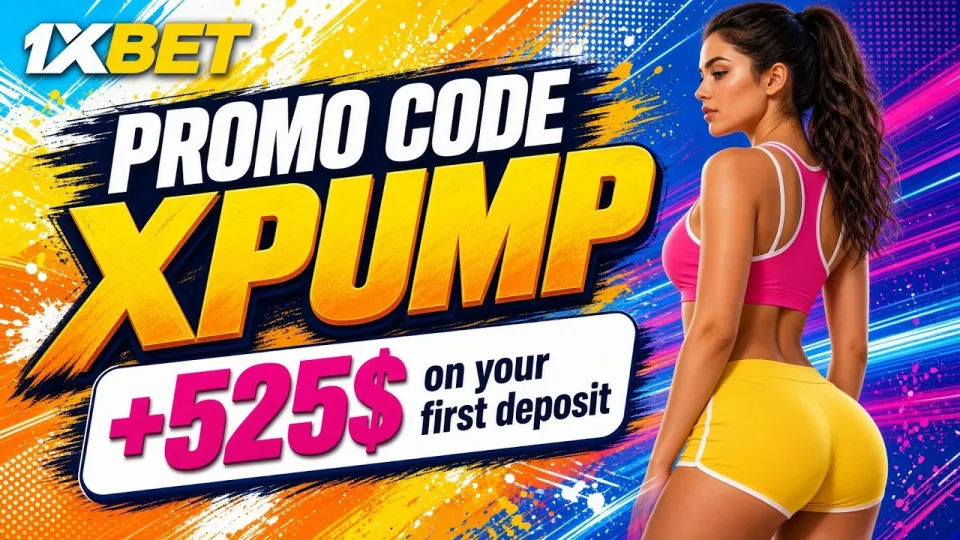
Video: 1XBET CODE XPUMP — Grab +525$ on Your First Deposit (Easy Walkthrough)
· based on the channel ReelBlaze
Key takeaways
- The promo code is XPUMP, entered in capital letters with no spaces.
- The promotional headline advertises +525$ on the first deposit tied to the code.
- The code is entered either in the registration form or later in My Account → Enter promo code.
- A promo code only applies to a first deposit and cannot be added after a withdrawal.
- The bonus and its wagering terms are set by 1xBet and can change at any time.
The 1XBET code is XPUMP, and it is entered either in the promo code field of the registration form or later in your account settings before you make your first deposit. The promotional walkthrough published by ReelBlaze advertises +525$ on the first deposit when the code is applied, and the sign-up page used in that video is the 1xBet bonus registration page. The code itself is free — what matters is entering it in the right place and at the right moment.
What the XPUMP code actually is
XPUMP is a referral-style promo code that links a new 1xBet account to a specific bonus offer. In practice it is a short alphanumeric string that the bookmaker's system reads during registration and matches against a campaign. If the string is valid and the account qualifies, the welcome offer attached to that campaign is applied to the first deposit instead of the standard default offer.
Three points define how it behaves:
- It is typed in capital letters, exactly as shown — XPUMP, not "xpump" with stray spaces or a hyphen.
- It only works on a new account that has not yet made a deposit. Existing accounts with deposit history cannot retroactively attach it.
- It does not add money by itself. It changes which welcome package your first deposit falls under, and the deposit still has to be made.
A promo code is not a password and not a payment method. Nothing is charged for using it, and no card details are needed to type it in.
Where to enter the 1xbet promo code step by step
The code field appears in two places, and using either one is enough. The registration route is the safer of the two because the code is captured before the account exists.
- Open the 1xBet registration form (the link in this article goes to the promotional landing page used in the walkthrough).
- Choose a registration method — one click, phone, email or social network.
- Select the welcome bonus for sports or for casino when the form asks; the choice affects which bonus the code is applied to.
- Find the field labelled Promo code (sometimes shown as "Enter promo code" or an optional bonus code line) and type XPUMP.
- Complete registration, then open the cashier and make your first deposit.
If you registered without the code, the second route is inside the account: open the profile menu, go to the promo code / bonus section, enter XPUMP and confirm. Do this before the first deposit is credited, because the system reads the code at the moment the deposit is processed.
The +525$ first deposit figure in context
The +525$ number in the video title is the headline value of the welcome offer attached to the code, not a flat cash payment. Welcome packages of this type are normally structured as a percentage match on the first deposit up to a cap, sometimes split across the first few deposits, and the advertised maximum is only reached if you deposit enough to hit the ceiling.
That has two practical consequences. First, a small first deposit produces a proportionally small bonus — the +525$ figure is a maximum, not a guarantee. Second, the bonus usually arrives as bonus funds rather than withdrawable cash, which means it has to be played through under the bookmaker's wagering conditions before anything can be withdrawn. The exact percentage, cap and rollover are set by 1xBet and can differ by country and by the sports or casino option chosen at registration.
Common mistakes that void the code
The most frequent reason a promo code "doesn't work" is timing rather than a wrong string. A code entered after the first deposit has already been credited will not be applied to that deposit, and support will generally not re-apply it manually.
Other frequent problems:
- Typos and formatting — lowercase letters, a trailing space pasted from a chat message, or an autocorrected capital.
- Duplicate accounts — a second account on the same device, IP or payment method usually disqualifies both accounts from the welcome offer.
- Depositing before registering properly — making a deposit from the cashier before the registration form is fully confirmed.
- Choosing the wrong bonus type — picking the casino welcome package when you intended to bet on sports, or the reverse.
- Assuming the bonus is cash — trying to withdraw bonus funds before meeting the wagering requirement.
If the code field rejects the entry, re-check the string character by character before contacting support; the code is case-sensitive in most implementations.
Questions bettors ask before depositing
Beyond the mechanics, the recurring concerns are about eligibility and about what happens after the bonus lands. Bettors want to know whether the code can be combined with other promotions (generally no — one welcome offer per person, household and payment method), whether a minimum deposit is required (usually yes, and it is stated in the bonus terms), and whether the bonus applies to e-wallets and crypto deposits as well as cards (often with different minimums).
A second cluster of questions is about verification. Most bookmakers require identity verification before the first withdrawal, and a mismatched name between the account and the payment method can freeze bonus funds even after wagering is complete. Registering with accurate details from the start avoids that scenario entirely.
The link used in the walkthrough
The video description and the channel's own comment point to a single destination: https://kliky.cc/1x_bonus. That is the registration page where the XPUMP code is pre-loaded or typed in, and it is the only link referenced in the guide. No other URLs are given in the video, so there is nothing else to cross-check.
Summary
The 1XBET code XPUMP is a first-deposit promo code: type it during registration or in your account before depositing, and the welcome offer tied to the campaign — advertised at up to +525$ — is applied to that first payment. The figure is a cap, not a cash gift, and it comes with wagering conditions set by the bookmaker. Get the code in early, deposit once, and verify your identity before trying to withdraw. This breakdown is based on the walkthrough published by the ReelBlaze channel; for the registration page used there, go to the 1xBet bonus page and enter XPUMP before your first deposit.
Questions & answers
Do I have to enter the XPUMP code before or after registering?
Either works, as long as it happens before your first deposit is credited. The cleanest route is typing XPUMP into the promo code field on the registration form itself. If you skipped it, open your account settings and enter it there before visiting the cashier.
Is the +525$ paid out as cash?
No. It is the headline maximum of a welcome bonus tied to the code, normally a percentage match on your first deposit up to a cap. The funds arrive as bonus money and must be wagered under 1xBet's terms before any withdrawal.
Why was my promo code rejected?
The usual causes are a typo or lowercase entry, an account that already has a deposit history, a duplicate account on the same device or payment method, or the code being entered after the deposit was processed. Re-check the exact string XPUMP first.
Can I use XPUMP if I already have a 1xBet account?
Generally no. Welcome promo codes are reserved for new accounts making their first deposit. Existing accounts with deposit history cannot attach the code retroactively, and support rarely applies it manually.
Source: 1XBET CODE XPUMP — Grab +525$ on Your First Deposit (Easy Walkthrough) · Markdown version